A NAS can be a sensible way to give a small team shared storage. The mistake is budgeting for the enclosure and treating everything around it as an afterthought. Disks, backup, installation and the work of keeping the system running all belong in the purchase decision.
When we plan small-business IT deployments, we start with the job the system needs to do. Are people sharing office documents, working with large project files, backing up computers, or replacing an old file server? Those workloads can lead to different choices even when the team has the same number of employees.
The useful question is therefore not simply “How much is a NAS?” It is “What will a complete storage setup cost us to buy and operate?”
Quick Overview
| Budget area | What belongs in it |
|---|---|
| Hardware | The enclosure, compatible disks and any genuinely necessary accessories |
| Protection | A separate backup destination and suitable power protection |
| Installation | Access, data migration, updates, backup configuration and handover |
| Ongoing work | Administration, support, recurring services and eventual replacements |
Last updated: October 16, 2026
Key takeaway
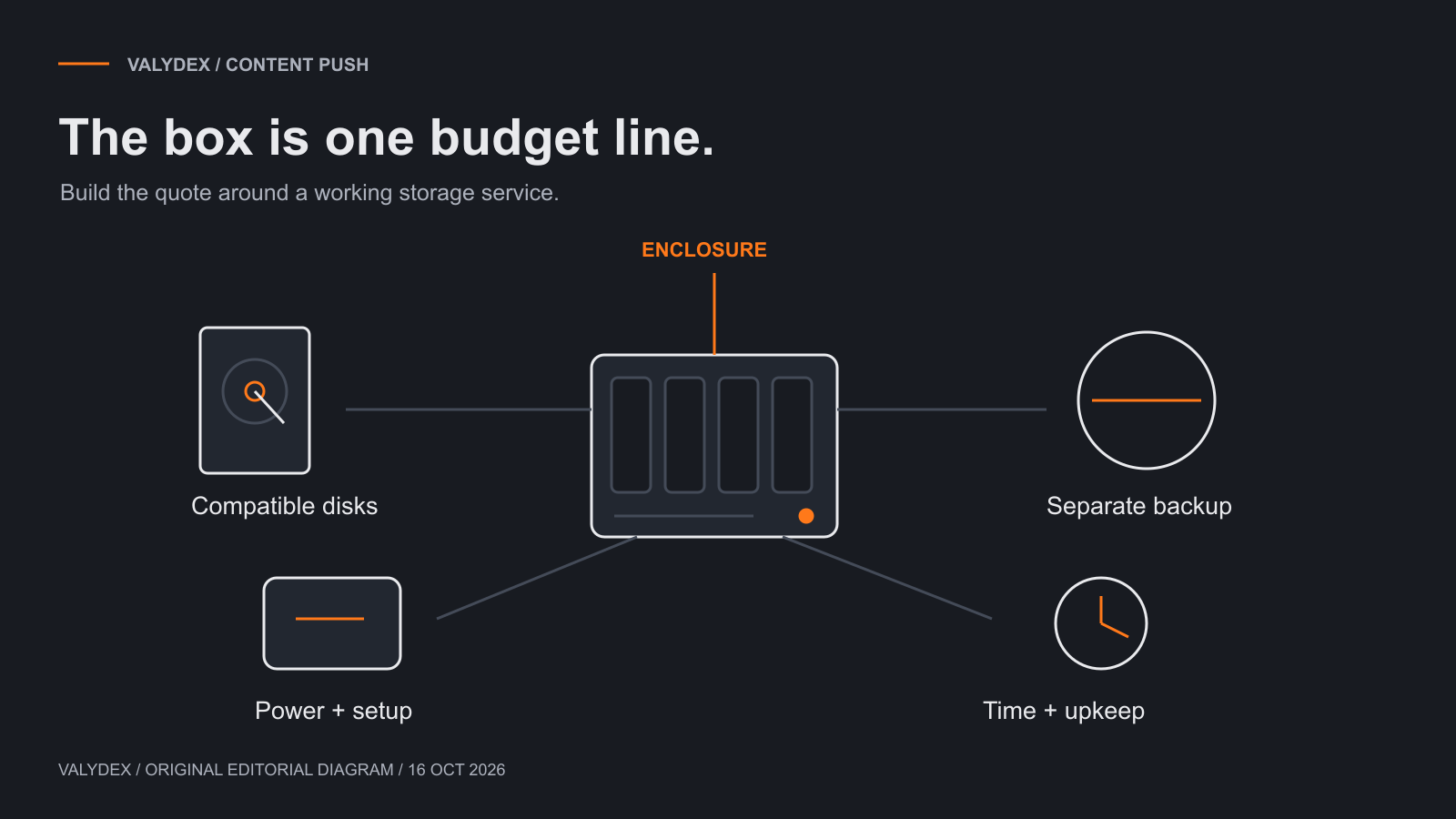
The budget categories above are an illustration, not a measured price comparison.
What are you actually buying?
A NAS, or network-attached storage device, makes storage available to other devices over a network. The enclosure is the appliance that runs the system. The disks provide the storage, while configuration and day-to-day administration determine how useful it becomes to the business.
That distinction matters when reading a product listing. The UGREEN DXP4800 Plus page, for example, identifies the enclosure as diskless. A low enclosure price does not include the disks needed to store files. Check the exact bundle rather than assuming that photographs show everything in the box.
A complete quote should name the model, disk configuration, backup approach and installation scope. “Four-bay business NAS” is too vague to compare with another supplier's proposal. One quote might include migration and support; another might cover hardware delivery alone.
It also helps to distinguish shared storage from backup. If the NAS holds the working copy of the team's files, those files still need protection elsewhere. A shared folder is useful, but its existence does not establish that you can recover deleted or damaged data.
The costs that belong in the first quote
The first quote should describe the system you intend to operate, including the parts that are easy to leave out.
| Line item | What to ask the supplier |
|---|---|
| Enclosure | Which exact model, seller and warranty are included? |
| Disks | Which models and quantities, with what compatibility and usable-capacity assumptions? |
| Backup | Where does a separate copy go, what is retained, and who looks after it? |
| Power protection | What equipment is appropriate, and how does the NAS respond to an extended power loss? |
| Networking | Does the existing network suit the workload, or is an upgrade justified? |
| Installation | Who handles migration, permissions, updates and documentation? |
| Support | What continues after installation, and what is charged separately? |
Not every deployment needs every possible upgrade. A fast network interface is only one part of a file-transfer path. Buying a faster switch will not resolve every slow application, and a team working mainly with ordinary office documents may have different needs from a video studio.
The same restraint applies to optional memory, cache and expansion hardware. Ask what problem each addition addresses. If there is no clear answer for the actual workload, it should not quietly become a required line in the quote.
How much storage will remain usable?
Usable storage depends on the selected disks, storage layout and space reserved for the way the system will be used. Adding together the capacities printed on the drive labels does not necessarily tell you how much working space the team will have.
Start with the data that must move, its expected growth, and the space needed for versions or other retained data. A simple inventory of the current shares is often more useful than estimating storage from employee count. Ten people handling large design files can need a very different setup from ten people handling mostly documents.
Ask the installer to explain the proposed disk layout in terms you can use: how much space will be available, what happens if a drive fails, and how the system can grow. Keep spare capacity intentional rather than filling the device to its limit immediately.
Compatibility belongs in this conversation too. The Synology DS925+ product documentation points buyers to model-specific drive compatibility information. Check the actual disk model against the current guidance when ordering. A broad claim about a drive brand is not a substitute for that check.
What will it cost to run?
Running costs include recurring services and the work of maintaining the setup. A NAS does not become maintenance-free because the hardware has been paid for.
Someone needs to handle updates, access changes, storage warnings and backup issues. In a managed environment, that work may already be covered by an IT agreement. In another business, it may be a separate service or an internal responsibility. Either arrangement can work; the budget should say which one applies.
Power use, subscription services and replacement allowances also depend on the chosen configuration. Use your electricity rate and a relevant consumption assumption if energy costs matter to the comparison. Do not treat a vendor's low-power state as a promise of the system's average use in your office.
A straightforward ownership calculation is:
One-time purchase and installation + recurring costs over the chosen period + any separately budgeted replacements.
Avoid counting the same hardware twice, once as the purchase price and again as an annual depreciation expense. For purchasing decisions, consistency is more useful than an elaborate spreadsheet built on uncertain inputs.
A worked budget example
The following figures are hypothetical arithmetic inputs, not current vendor prices, our service rates or a recommended configuration. They show why a complete quote can differ substantially from the enclosure price.
| Illustrative item | Assumption | Cost |
|---|---|---|
| Enclosure | One appliance | $650 |
| Disks | Four at $180 each | $720 |
| Power protection | One suitable unit | $150 |
| Initial setup | Four hours at an assumed $125/hour | $500 |
| One-time subtotal | $2,020 | |
| Separate backup service | Assumed $20/month | $240/year |
| Ongoing administration | Assumed one hour/month at $125/hour | $1,500/year |
| Recurring annual subtotal | $1,740/year |
Under those assumptions, the first year is $3,760, and three years total $7,240, before tax, electricity and any later replacements. The example uses one currency and assumes the recurring costs stay constant.
The point is not that every business should spend that amount. Your support may already be included elsewhere; your backup needs may differ; your installation may take less or more work. Replace each assumption with the actual quote and remove costs already covered by another agreement.
Keeping those assumptions visible also makes a cloud-versus-NAS discussion more useful. Compare equivalent requirements and operating work, rather than setting an enclosure price against several years of a cloud subscription while leaving everything else out.
Comparing a UGREEN and a Synology proposal
Compare the proposed systems against the same business requirement before comparing their totals. Otherwise, a cheaper quote may simply leave out something the other quote includes.
The DXP4800 Plus and DS925+ are examples covered in our UGREEN versus Synology comparison. That article addresses the device choice. For budgeting, the questions are more specific:
| Requirement | Put this in both proposals |
|---|---|
| Working capacity | A stated usable-capacity target and growth allowance |
| Data protection | The intended separate backup and retention approach |
| Access | The staff, groups and remote-access requirements |
| Migration | What moves, who moves it, and how the old copy is handled |
| Support | Installation handover and continuing responsibility |
Do not treat Synology's Active Backup for Business software as the same purchase as a DS925+ enclosure. Hardware, application availability and supported backup workloads need to be considered in their proper roles. Our Synology business review provides that backup context.
The result should be two understandable proposals, not a table full of green ticks that ignores how the business will use the system.
Include recovery in the handover
Recovery should be part of normal setup and support. The useful question is whether somebody knows how to retrieve the files the business needs, with access that remains available when something goes wrong.
For a simple handover, ask the person responsible to show how a file is recovered from the chosen backup and where the recovery instructions are kept. This is an ordinary part of handing over a working setup. It can reveal misunderstandings about what is being backed up without turning the installation into a formal testing project.
Also agree who receives backup warnings and what happens when the backup destination fills up or stops being available. A notification sent to an unattended mailbox is not much help to the business.
Our small-business backup strategy guide covers the wider recovery decisions. Here, make sure the quote includes the work needed to put those decisions into practice.
A purchase decision you can explain
A good NAS proposal should be understandable without becoming an expert in storage hardware. You should know what is included, what will be charged later, who looks after it, and how the business retrieves its files when needed.
Use the NAS quote worksheet to collect those answers. Ask competing suppliers to work against the same requirements. If a line is unnecessary, mark it unnecessary; if it has not been priced, mark it as a quote still needed rather than entering zero.
Once the scope is clear, choosing the model becomes a more manageable decision. You are buying a setup that fits the work and the people available to run it, rather than simply buying the most storage bays for the money.
Frequently asked questions
Related Articles
UGREEN versus Synology NAS
compare the two models once the budget requirements are clear.
Small-business backup strategy
decide which data matters and how recovery should work.
Synology for business backup
understand the backup-software role separately from the enclosure purchase.
- UGREEN versus Synology NAS: compare the two models once the budget requirements are clear.
- Small-business backup strategy: decide which data matters and how recovery should work.
- Synology for business backup: understand the backup-software role separately from the enclosure purchase.
If storage is one of several unresolved IT questions, the free Valydex assessment can help you decide what deserves attention first.
Choose your next security priority
Use the free assessment to organize the next conversation with your IT team.
Start the free assessment